

-
1
5 minutes
Get your ClickBank ID
ClickBank handles every Brilliant Yoga order and pays every commission, so your ClickBank account is what gets you paid. If you do not have one yet, sign up for free at ClickBank. The nickname you choose when you sign up is your ClickBank ID, also called your affiliate ID, and it is the name you use to log in.
Your ID must be 5 to 10 letters or numbers. Write it down, because you will need it in the next step.
Open a free ClickBank account -
2
2 minutes
Make your hoplink and save it
Go to the Promotion Links page, type in your ClickBank ID and choose a landing page. If you are not sure which one, choose the video sales page, because Sarah's video does the selling for you.
Then press Save My Link. From that moment on, every email, post, banner and article in this area shows your own link instead of the sample, so whatever you copy is ready to use.
Make your hoplink now -
3
1 minute
Add a tracking ID, so you know what works
A tracking ID (ClickBank calls it a tid) is a short label of your own that you add to a hoplink, such as email1, fb-group or pinterest. It costs nothing, your readers never notice it, and it lets your ClickBank reports show which email or post each sale came from.
Use a different tracking ID for each place you promote. After a week you will know exactly where to put more effort, which is the difference between guessing and growing. You can add one on the Promotion Links page, right next to your ClickBank ID.
Example only: once your link is saved, this shows your own ID. Change email1 to a label for each place you post.
-
4
10 minutes
Watch the first ten minutes of Sarah's video
Your readers will land on Sarah's sales video, so watch the opening yourself before you send anyone there. In the first few minutes she sets out her main idea, that weight loss is not only about calories in and calories out, and why stress and cravings sit at the centre of her program.
The full video is long, so come back and finish it later. Once you know what the page says, your email or post can pick up the same thread, and readers who click feel they have arrived in the right place.
Watch the sales video -
5
5 minutes
Pick one place to start
Start with the one place where people already listen to you, and do that well before you add a second one.
You have an email listSend Day 1 of the 5-Day Launch Sequence today, then one email a day after it.Email swipes → You post on social mediaCopy the story post about Sarah's class with students aged 12 to 90, and add the square picture that goes with it.Social posts → You have a blog or websitePublish one of the ready articles, or send readers to a presell page that warms them up first.Articles → You buy trafficRead the Google and Bing rules first and send us your landing page to review, then use a presell page with the keyword lists.Paid traffic rules → -
6
3 minutes
Check the rules before you press send
Brilliant Yoga is a weight loss and well-being program, so the words you use matter. Never promise a set amount of weight lost or results by a certain date, never use before-and-after claims, and never present yourself as Sarah or the owner of the program.
Keep the disclosure line at the end of everything you send, and do not bid on the Brilliant Yoga name in paid ads. Everything in this area already follows these rules, so if you change the words, keep to the same limits.
Read the full rules -
7
4 minutes
Test your link, then send your first email or post
Click your hoplink once yourself. It should open Sarah's sales page, and that is all you need to check. Please do not buy through your own link, because ClickBank does not allow affiliates to earn commission on their own purchases.
Now send your first email or publish your first post. Tomorrow, log in to ClickBank and look at your reports, where you will see the clicks on your link, grouped by your tracking IDs.
After your first 30 minutes
Days 2 to 5
Keep the launch sequence going, one email a day, or post one new piece from the social page every couple of days. Use a fresh tracking ID for each.
End of week one
Open your ClickBank reports and compare your tracking IDs. Do more of whatever brought clicks and sales, and drop what did not.
Selling well?
Top affiliates can ask for a commission boost to 90%. Write to Andrew, our affiliate manager, and tell him what you are planning.
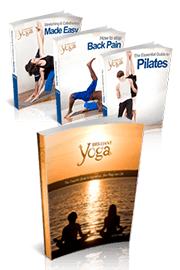
Take it all with you
The swipe pack holds this quick start, the commission facts, the ten best angles, every email with its subject lines, a selection of social posts and the rules, in one guide you can keep open while you work. The Word version is fully editable.
The links in the downloads read YourIDHere. Replace that with your ClickBank ID, or copy the emails from the Email Swipes page, where your saved link is already filled in.
Stuck on a step?
Most questions are answered in the Affiliate FAQ. If yours is not, write to Andrew, our affiliate manager, and he will help you.